
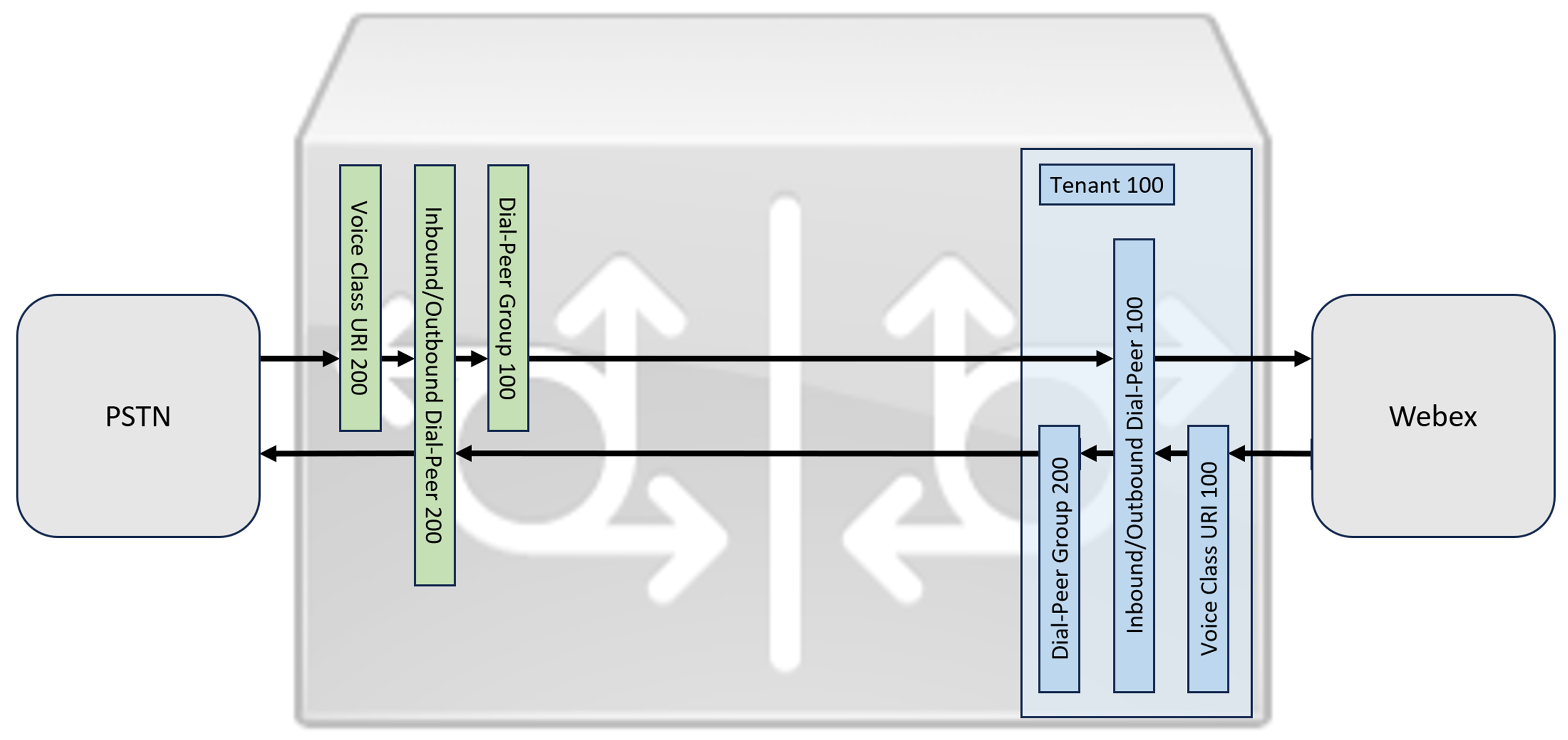
This section describes how to configure a Cisco Unified Border Element (CUBE) as a Local Gateway for Webex Calling, using a registering SIP trunk. The first part of this document illustrates how to configure a simple PSTN gateway. In this case, all calls from the PSTN are routed to Webex Calling and all calls from Webex Calling are routed to the PSTN. The image below highlights this solution and the high-level call routing configuration that will be followed.
In this design, the following principal configurations are used:
-
voice class tenants: Used to create trunk specific configurations.
-
voice class uri: Used to classify SIP messages for the selection of an inbound dial-peer.
-
inbound dial-peer: Provides treatment for inbound SIP messages and determines the outbound route using a dial-peer group.
-
dial-peer group: Defines the outbound dial-peers used for onward call routing.
-
outbound dial-peer: Provides treatment for outbound SIP messages and routes them to the required target.
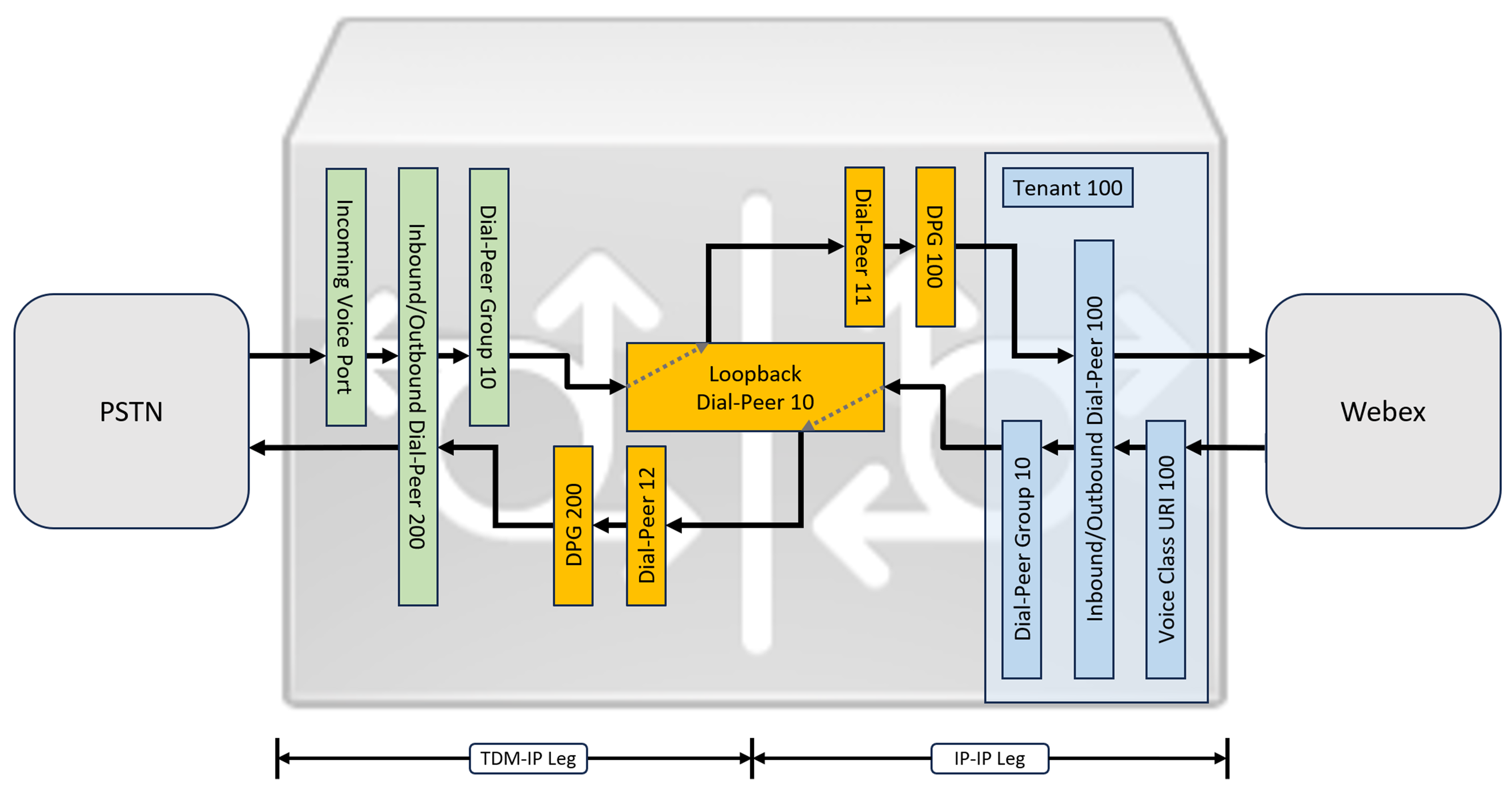
While IP and SIP have become the default protocols for PSTN trunks, TDM (Time Division Multiplexing) ISDN circuits are still widely used and are supported with Webex Calling trunks. To enable media optimization of IP paths for Local Gateways with TDM-IP call flows, it is currently necessary to use a two-leg call routing process. This approach modifies the call routing configuration shown above, by introducing a set of internal loop-back dial-peers between Webex Calling and PSTN trunks as illustrated in the image below.
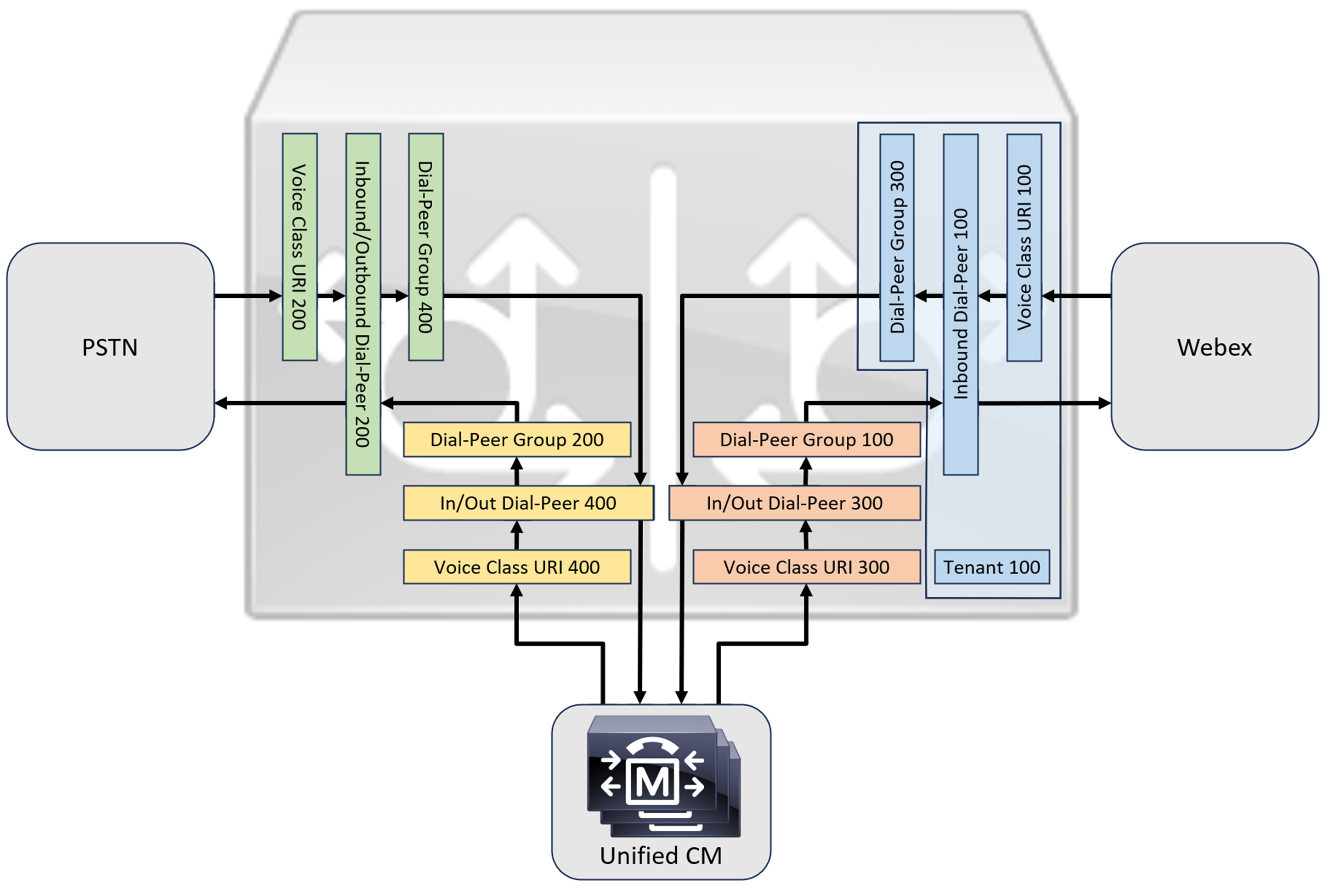
When connecting an on-premises Cisco Unified Communications Manager solution with Webex Calling, you can use the simple PSTN gateway configuration as a baseline for building the solution illustrated in the following diagram. In this case, Unified Communications Manager provides centralized routing and treatment of all PSTN and Webex Calling calls.
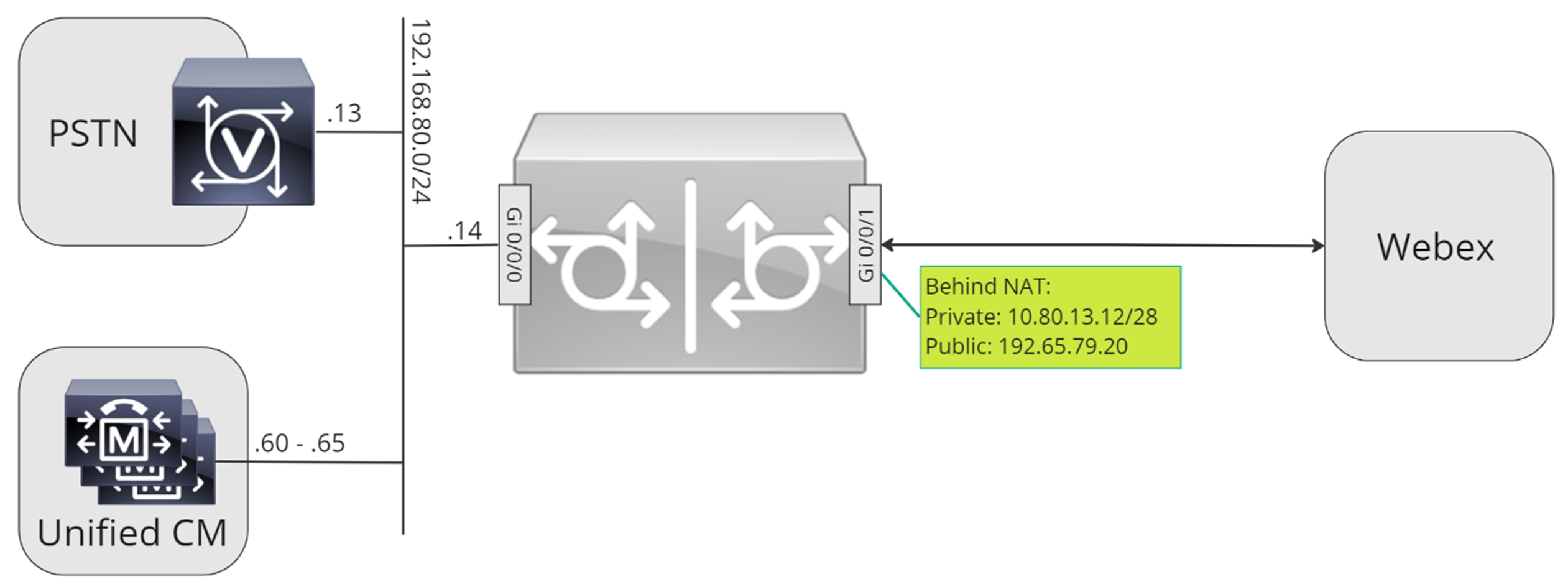
Throughout this document, the host names, IP addresses, and interfaces illustrated in the following image are used.
Use the configuration guidance in the rest of this document to complete your Local Gateway configuration as follows:
-
Step 1: Configure router baseline connectivity and security
-
Step 2: Configure Webex Calling Trunk
Depending on your required architecture, follow either:
-
Step 3: Configure Local Gateway with SIP PSTN trunk
-
Step 4: Configure Local Gateway with an existing Unified CM environment
Or:
-
Step 3: Configure Local Gateway with TDM PSTN trunk